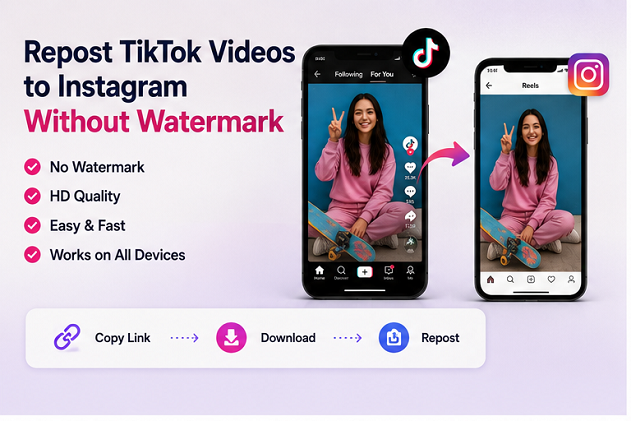
TikTok and Instagram are two of the biggest platforms for short-form video, and many creators publish content on both. A video that performs well on TikTok may also be suitable for Instagram Reels, Stories, or other social platforms.
However, simply downloading a video directly from TikTok may leave the TikTok watermark and username visible on the clip. This can make the video look less clean when reused on another platform.
For creators who own the original content or have permission to reuse it, downloading a clean copy before uploading it to Instagram can make the workflow easier.
Why Remove the TikTok Watermark Before Posting to Instagram?
The TikTok watermark identifies the platform where the video was originally published. While this is useful inside TikTok, it may not be ideal when the same creator wants to publish their original video on Instagram.
A clean version gives creators more flexibility when editing the video for another platform.
It can also help maintain consistent branding. Instead of showing a TikTok username moving around the screen, creators can add their own Instagram handle, logo, captions, or other elements during editing.
The goal should not be to remove attribution from someone else’s content. This workflow is most appropriate for your own videos or material that you have permission to republish.
Copy the TikTok Video Link
The easiest way to save a public TikTok video is usually through its URL.
Open TikTok and select the video you want to use. Tap the Share button and choose the option to copy the link.
The copied URL can then be processed through a browser-based downloader.
Using a link is convenient because you do not need to transfer the video manually between applications.
Download the Video Through Your Browser
An online tool such as SSSTikTok can process publicly accessible TikTok video links directly through a web browser.
Paste the copied TikTok URL into the input field and start the download process.
When multiple options are available, select the video quality that best matches your needs.
This approach can work across Android phones, iPhones, tablets, Windows computers, and Macs because the downloader runs in a browser rather than requiring a dedicated desktop program.
Prepare the Video for Instagram Reels
Once the video has been saved, it is worth reviewing it before uploading it directly to Instagram.
Check the video dimensions first. Vertical 9:16 video generally works best for Reels and other full-screen short-form content.
You should also check whether important text appears too close to the top or bottom of the screen. Instagram places interface elements over parts of the video, which can cover captions positioned near the edges.
Creators may also want to add a new caption, subtitle style, call-to-action, or Instagram username before publishing.
Choose Music Carefully
Music is another important consideration when reposting content between platforms.
A sound that is available on TikTok may not be licensed or available in exactly the same way on Instagram.
Instead of publishing a downloaded commercial track directly, creators can upload the clean video and add the appropriate song through Instagram’s own music library.
This may also help the Reel fit more naturally into Instagram’s ecosystem.
Update the Caption for Instagram
TikTok and Instagram audiences do not always respond to the same captions and hashtags.
Rather than copying the TikTok caption word for word, adapt it for Instagram.
A strong Instagram Reel caption can explain the context of the video, encourage comments, or direct visitors toward your profile.
Hashtags should also be relevant to the specific content instead of using an identical block of tags on every platform.
Do Not Repost Content Without Permission
Removing a watermark does not transfer ownership of a video.
If another creator made the original content, you should obtain permission before downloading, editing, or republishing it.
Whenever possible, credit the original creator clearly.
Creators using their own videos have much more freedom to adapt their content across TikTok, Instagram, YouTube Shorts, and other platforms.
Final Thoughts
Publishing the same original short-form content across several platforms can save creators a significant amount of production time.
Instead of creating an entirely new video for every network, creators can save a clean version of their own TikTok video, adapt the caption and music, and prepare it for Instagram Reels.
A browser-based TikTok video downloader makes the first part of this workflow simple, while careful editing and platform-specific optimization help the final Reel feel native to Instagram.